
프로그래밍 언어 - C#(5) 함수

1. 함수
1.1. 개요: 뜬금없이 자료형?
- 값 타입, 참조 타입에 관한 사항을 자료형을 할 때 언급을 했었음.
- 이것을 언급하는 이유는 함수에 들어가기 전에 이 2개에 대해서 조금 더 알고 들어갈 필요가 있기 때문이다.
- 값 타입의 대표적인 것은 int, float, char, bool 등이 있을 것임.
- 참조 타입에는 string, 배열 정도가 지금 배운 것에서 알 수 있는 것들이다.
- 이제 이것이 어떻게 동작하는지를 알아야 한다는 것.
- 값 타입의 경우, 변수를 선언했을 때 메모리 상에 올라가게 된다.

<그러니까 값 타입은 이렇게 직접 데이터를 들고 있다>
- int a = 15;라고 한다면 a라는 이름의 데이터를 메모리 상에 등록을 한다. 즉, 값 타입은 자신의 데이터를 스스로 직접 가지고 있는 형태이다.
- 참조 타입의 경우는 좀 다른데 int[] arr = new int [5];라고 하나 선언한다고 한다면 실제로 메모리 상에서는 변수가 할당되는 것까지는 동일하나 메모리 안에서는 배열의 데이터가 할당이 되었을 것인데(수정 등이 가능하므로) 이 arr 변수 자체가 아닌 별도의 공간에 5칸짜리 int 타입을 넣을 수 있는 것이 할당되고 첫번째 위치를 가리키는 원본 데이터의 주소값(포인터)을 가진다.
- RAM은 프로그램이 실행될 때, RAM에 올려두고 데이터를 꺼내다가 쓰는 것.
- 즉, 참조 타입은 첫번째 데이터의 주소값을 가지고 있을 뿐이다.

<참조 타입은 사물함 번호 혹은 몇번째 가방인가이다>
- 이 개념은 C#에서 가장 중요한 개념이다.
- 배열의 경우는 0번부터 시작할탠데 선언한 int는 4byte는 index로 접근이 빠르다. 메모리 주소값이 첫번째를 가리키기 때문에 0번 메모리에서 12 byte만 가면 되기 때문에 접근이 용이하다는 것.
- string를 도식화 해보면 string text = "sdf";를 했을 때 text라는 변수는 메모리 주소값을 가지고 어딘가에 char 배열을 가지게 된다. 배열이 또 참조 타입이므로 또 다른 배열을 가지게 된다.
- text라는 변수에서는 string 내부 데이터의 참조를 가지고 있고 또 그 배열의 참조가 들어가서 2중 배열 구조처럼 된다.
- 이것을 알면 함수에서의 키워드를 알기 쉽게 된다.
1.2. 함수
- 변수 : 변할 수 있고 데이터에 닉네임을 지어주는 용도로 사용.
- 함수 : 기능에 별명을 지어주고 필요할 때 쓰는 것.
<이름을 지으면 그대로 그 이름으로 적용된다>
- 특정 코드 단락을 묶어두고 별명을 지어주는 것이 함수이다.
- 함수에도 동일하게 쓰는 키워드가 있는데 변수에서 선언과 대입이 있다면 함수는 선언은 동일하나 함수를 갖다가 쓸 때는 호출이라고 부른다.
- 실제로 사용해보도록 하자.
csharp
// 형태 : [반환형] [닉네임]() {}
using System;

class Program
{
    static void Main(string[] args)
    {
        // 변수 : 변할 수 있고 데이터에 닉네임을 지어주는 용도로 사용.
        // 함수 : 기능에 닉네임을 지어주는 용도.

        // 함수 선언
        // 랜덤한 숫자를 뽑고 싶을 때, 어제의 경우
        // Random rand = new Random();
        // int a = rand.Next(-100, 100);

        Console.WriteLine(GetRandomNumber());
        Console.WriteLine(GetRandomNumber());
        Console.WriteLine(GetRandomNumber());
        Console.WriteLine(GetRandomNumber());
        Console.WriteLine(GetRandomNumber());
    }

    // 이제는 함수 형태로 해보도록 할 것.
    // 위는 int 타입이 나오므로 동일하게 int가 되어야 한다.
    static int GetRandomNumber()
    {
        Random rand = new Random();
        int a = rand.Next(-100, 100);

        return a;
    }
    // GetRandomNumber()는 함수 내부에서 이런 코드를 수행한다.
}
- 함수는 코드 한 덩어리에다가(기능 단위에다가) 이름을 붙여둔 다음에 필요할 때 이름으로 호출해서 쓰는 것이 함수이다.
- 선언할 때, 어떤 데이터가 반환되는지를 알려주고 이름에다가 괄호를 붙이고 중괄호에 내부 기능을 정의해준다의 순서이다.
- 반환형이 있을 경우, 함수 내부에서 기능 수행 후 외부에 뽑아주는 것을 반환한다고 표현한다.
- 프로그래머스에서 시작할 때, 반환형이 있고 이름이 붙어있고 괄호가 있는데 이게 함수라고 생각하면 된다. 시스템 내부적으로 데이터를 외부에서 넣고 함수 내에서 데이터를 반환해주는 역할을 return이 한다.
- 함수로 기능을 묶을 수 있게 되어 코드 중복을 줄일 수 있고 어떤 기능을 하는 것인지 직관적으로 알 수 있게끔 해준다.

<함수는 분리수거처럼 필요한 것을 묶어 관리한다>
1.3. void
- 실동작은 하지만 반환값이 없는 것을 할 때 void. main도 void 함수이다.
csharp
using System;

class Program
{
    static void Main(string[] args)
    {
        PrintTitle();
    }

    static int GetRandomNumber()
    {
        Random rand = new Random();
        int a = rand.Next(-100, 100);

        //return a;
    }//에러 발생

    static void PrintTitle()
    {
        Console.WriteLine("====================================================");
        Console.WriteLine("                       땳똷뚫                        ");
        Console.WriteLine("====================================================");
    }
}
- 반환형이 있는데 return이 없으면 error 발생.
- void는 return이 없고 이 기능만을 수행하는 역할이다.
2. 매개변수
2.1. 개요
- 함수의 괄호 안에 변수가 선언된 상태로 들어가 있는 것들을 매개변수라고 부른다.

<강화라는 함수에서는 강화 재료라는 매개변수가 있다고 생각하면 좋다>
2.2. 사용
- 바로 코드부터
csharp
using System;

 class Program
 {
     static void Main(string[] args)
     {
         int a = Sum(7, 14);
         Console.WriteLine(a);
     }


     // 함수 내에서 쓸 수 있는 변수로 동작함.
     static int Sum(int a, int b)
     {
         int sum = a + b;

         return sum;
     }
 }
- 외부에서 데이터를 받아서 함수에서 내부적으로 돌아간 다음, 반환해준다를 보여주는 형태.
- 만약 입력받아야 할 값을 입력받지 못하면 에러 발생.
- 형태는 지금까지 4가지 정도임.
3. 키워드
3.1. ref
- 서로 바꾸는 swap 함수를 살펴보자.
csharp
using System;

 class Program
 {
     static void Main(string[] args)
     {
         int a = 5;
         int b = 8;
         ChangeNumber(a, b);
         Console.WriteLine($"{a}, {b}");
     }

     static void ChangeNumber(int a, int b)
     {
         int tempNumber = 0;
         tempNumber = a;
         a = b;
         b = tempNumber;
         Console.WriteLine($"Swap : {a}, {b}");
     }
 }
- 이러면 실사용 시 함수 내부에서만 동작하고 외부로 내보내지지 않는다.
- 그런데 ref를 여기다가 붙이면?
csharp
using System;

 class Program
 {
     static void Main(string[] args)
     {
         int a = 5;
         int b = 8;
         ChangeNumber(ref a, ref b);
         Console.WriteLine($"{a}, {b}");
     }

     static void ChangeNumber(ref int a, ref int b)
     {
         int tempNumber = 0;
         tempNumber = a;
         a = b;
         b = tempNumber;
         Console.WriteLine($"Swap : {a}, {b}");
     }
 }
왜 이럴까? 기존의 것을 한 번 보도록 하자.
csharp
using System;

 class Program
 {
     static void Main(string[] args)
     {
         int a = 5;
         int b = 8;
         ChangeNumber(a, b);
         Console.WriteLine($"{a}, {b}");
     }

     static void ChangeNumber(int a, int b)
     {
         int tempNumber = 0;
         tempNumber = a;
         a = b;
         b = tempNumber;
         Console.WriteLine($"Swap : {a}, {b}");
     }
 }
- a와 b에 메모리가 할당되어 데이터를 가지게 된다(값 타입).
- 그리고나서 changeNumber 함수를 만나고 어떻게 동작할까?
- changeNumber에 Main에서 a, b를 넘겨준다.
- 여기서 a, b가 통째로 들어가는 것이 아니라 함수 내부에서 복사본이 발생한다.
- 함수 내부에서만 결과가 바뀐다.
- 그러나 값 타입에서는 데이터가 바뀐 것은 복사본이다.

<암만 복사본을 변경해봐야 적용이 안된다>
- 결과적으로 복사본만 수행되고 말아버리기 때문에 출력이 제대로 이뤄지지 않았던 것.
- 그렇다면 ref에서는 어떻게 되는지?
- 복사본이 만들어지기까지 동일하다.
- 하지만 값을 넘기는 때에 a값이 있는 주소와 b값이 있는 주소값을 넘겨서 복사되는 것이다.
- 그래서 주소로 찾아가서 데이터를 실질적으로 바꿔준다.
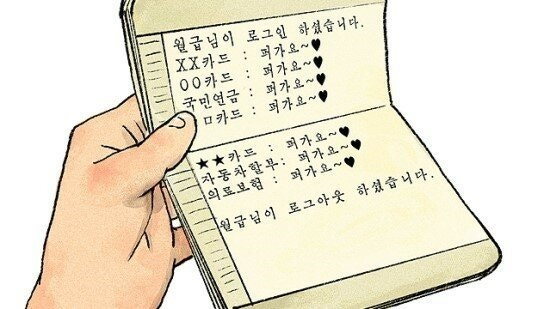
<복사된 주소값을 알고 있으니 데이터 변동이 실질적으로 이뤄진다>
- 결과적으로 ref를 붙이지 않는 이상 값이 죽어도 안바뀐다.
- 위 ref가 안붙은 것을 CbV, Call by Value라고 부른다.ref가 붙는 것을 CbR, Call by Reference이다.
- 두가지는 현상에 대한 호칭일 뿐이다.
3.2. out
csharp
using System;

 class Program
 {
     static void Main(string[] args)
     {
         string text = "1124";
         int num;
         int.TryParse(text, out num); // ref 대신 쓸 수 있는 키워드. 원본을 넘겨주는 형태.
     }
 }
- 변수에 어떤 값이 있는지 조회는 불가하다.
- 그래서 데이터를 뭘 받는지는 알 수 없으나 함수 내부에서 결과값을 외부로 줄 때 사용한다.

<일단 결과값은 손에 들어오는 형식이다>
3.3. in
- foreach에서 봤듯, 원본을 조회할 수 있지만 데이터를 바꿀 수 없다.
<아무리 사용하고 싶어도 할 수 없다>
3.4. 코드로 보는 예시
csharp
using System;

 class Program
 {
     static void Main(string[] args)
     {
         int num = 5;
     }

     static void foo()
     {

     }
 }
- 준비가 되었다면 입력받은 값을 10으로 바꿔보도록 하자.
csharp
using System;

 class Program
 {
     static void Main(string[] args)
     {
         int num = 5;
         foo(num);
         Console.WriteLine(num);
     }

     static void foo(int a)
     {
         a = 10;
     }
csharp
using System;

 class Program
 {
     static void Main(string[] args)
     {
         int num = 5;
         foo(ref num);
         Console.WriteLine(num);
     }

     static void foo(ref int a)
     {
         a = 10;
     }
 }
- 정상 출력
csharp
using System;

 class Program
 {
     static void Main(string[] args)
     {
         int num = 5;
         foo(out num);
         Console.WriteLine(num);
     }

     static void foo(out int a)
     {
         a = 10;
     }
 }
- 정상 출력
csharp
using System;

 class Program
 {
     static void Main(string[] args)
     {
         int num = 5;
         foo(out num);
         Console.WriteLine(num);
     }

     static void foo(out int a)
     {
         Console.WriteLine(a);
         a = 10;
     }
- 오류 발생. 값을 수정은 가능하나 바로 조회는 불가. 수정 후 조회는 가능.
csharp
using System;

 class Program
 {
     static void Main(string[] args)
     {
         int num = 5;
         foo(out num);
         Console.WriteLine(num);
     }

     static void foo(out int a)
     {
         a = 10;
         Console.WriteLine(a);
     }
- 정상 출력. 이번엔 in으로 바꿔본다.
csharp
using System;

 class Program
 {
     static void Main(string[] args)
     {
         int num = 5;
         foo(in num);
         Console.WriteLine(num);
     }

     static void foo(in int a)
     {
         Console.WriteLine(a);
         a = 10;
     }
 }
- 오류 발생. 보는 것은 가능할지언정 수정은 불가하다.
- 이 3개를 매개변수 한정자라고 부른다.
3.5. overloading
- swap 함수를 중복해서 쓰고 싶지만 가령 매개변수가 int로 되어 있는 것을 float를 입력할 수 없다.
csharp
using System;

 class Program
 {
     static void Main(string[] args)
     {
         float a = 3.55f;
         float b = 2.6f;

         ChangeNumber(a, b); // 쓸데없이 많이 붙게 된다. 함수가 여러개 만들어지게 되는 셈.
     }

     static void ChangeNumber(int a, int b)
     {
         int tempNumber = 0;
         tempNumber = a;
         a = b;
         b = tempNumber;
         Console.WriteLine($"Swap : {a}, {b}");
     }
     static void ChangeNumber(float a, float b)
     {
         float tempNumber = 0;
         tempNumber = a;
         a = b;
         b = tempNumber;
         Console.WriteLine($"Swap : {a}, {b}");
     }
 }
- 이름을 같게 하고 매개변수가 다를 때, 오버로딩이 발생하여 구분지을 수 있게 된다.
- 또한 매개변수의 개수가 기준이 될 수도 있다.
csharp
using System;

 class Program
 {
     static void Main(string[] args)
     {
         int a = 1;
         int b = 2;
         int c = 3;

         ChangeNumber(a, b);
         ChangeNumber(a, b, c); // 쓸데없이 많이 붙게 된다. 함수가 여러개 만들어지게 되는 셈.
     }

     static void ChangeNumber(int a, int b)
     {
         int tempNumber = 0;
         tempNumber = a;
         a = b;
         b = tempNumber;
         Console.WriteLine($"Swap : {a}, {b}");
     }
     static void ChangeNumber(float a, float b)
     {
         float tempNumber = 0;
         tempNumber = a;
         a = b;
         b = tempNumber;
         Console.WriteLine($"Swap : {a}, {b}");
     }
     static void ChangeNumber(int a, int b, int c)
     {
         int tempNumber = 0;
         tempNumber = a;
         a = b;
         b = tempNumber;
         Console.WriteLine($"Swap : {a}, {b}");
     }
 }
-
이렇게.
-
그러나 반환 형식만 다른 것은 오버로딩이 되지 않는다.(즉, return이 다른 것)
csharp
static int GetRandomNumber()
     {
         Random rand = new Random();
         int a = rand.Next(-100, 100);

         return a;
     }
     static int GetRandomNumber()
     {
         return 3.14f;
     }
- 오버로딩과 오버라이딩의 차이에 대해서 물을 수 있음.
- 오버로딩은 함수(메서드) 이름의 재사용, 오버라이딩은 부모에게 받은 함수를 자식에 맞춰 재정의를 하는 것이다.
- 일단 오버로딩은 이렇게 알려준대로 생각하면 된다.
3.6. 재귀 호출
- 보통 알고리즘에서 쓰임.
- 없어도 알고리즘을 짜는 것에 이상은 없지만 사용하는 이유는 반복해야 하는 알고리즘에서 좀 더 코드를 간결하게 만들 수 있게 된다.
- 팩토리얼 문제가 그 예시.
csharp
using System;

 class Program
 {
     static void Main(string[] args)
     {
         Foo();
     }

     static void Foo()
     {
         int a = 5;
         Foo();
     }
 }
- stack overflow 발생.
- Foo 함수를 호출하게 되면 내부 기능들이 실행될탠데 일단 a라는 변수가 할당될 것이다.
- a 변수가 할당되고 5라는 것이 들어갔다. 그리고 다시 Foo가 실행되고 a라는 변수가 또 생기고 5가 담긴다.
- 이게 계속해서 돌아간다는 것. 메모리 하나씩 하나씩 잡아먹고 메모리의 빈 공간이 없게 되어 결과적으로 터지는 코드가 되는 것.
- 재귀 함수의 형태는 위와 같은 구조와 비슷하다.
- 그래서 재귀함수를 다룰 때 가장 주의해야 할 것은 기저조건을 설정해줘야 한다는 것이다.

<탈출 조건을 만들어야 한다는 것>
- 호출 스택이 어느 기준에서 멈춰줘야 한다는 조건을 설정해줘야 한다는 의미.
csharp
using System;

 class Program
 {
     static void Main(string[] args)
     {
         Foo(3);
     }

     static void Foo(int count)
     {
         Console.WriteLine("Foo 함수 호출");
         // 기저 조건.
         if (count == 0)
         {
             Console.WriteLine("재귀 끝");
             return; // 반복문에서 break와 같은 역할을 수행.
         }

         Foo(count - 1);
     }
 }
- count에 3이 들어가고 기저조건에 안걸린다. 기저조건에 걸리지 않으므로 Foo 호출까지 완료
- 한 번 더 수행이 되었을 때 count가 2가 들어오고 기저조건에 안걸려서 Foo가 또 호출.
- 그러다가 count가 0이 들어오고 기저조건 쪽에서 if문에 걸리니까 재귀 끝이 호출되고 나서 return을 만나 끝난다.
- 이 상태에선 Foo를 호출했었으니 함수를 호출되었던 곳으로 돌아가게 된다.
- 다시 거슬러 올라가서 첫번째 count 3에 돌아가게 된다.
csharp
using System;

 class Program
 {
     static void Main(string[] args)
     {
         Foo(3);
     }

     static void Foo(int count)
     {
         Console.WriteLine($"Foo 함수 호출: {count}");
         // 기저 조건.
         if (count == 0)
         {
             Console.WriteLine("재귀 끝");
             return; // 반복문에서 break와 같은 역할을 수행.
         }

         Foo(count - 1);
         Console.WriteLine($"Foo 함수 종료: {count}");
     }
 }
출력하면 역순으로 나가는 것을 확인할 수 있음.
4.응용
4.1. 함수화
csharp
using System;

class Program
{
    static void Main(string[] args)
    {
        int mapSize = 10;
        char[,] map = new char[mapSize, mapSize];

        for (int y = 0; y < mapSize; y++)
        {
            for (int x = 0; x < mapSize; x++)
            {
                map[y, x] = '.';
            }
        }

        int playerPositionX = 0;
        int playerPositionY = 0;
        map[playerPositionY, playerPositionX] = 'p';

        bool isPlaying = true;

        while (isPlaying)
        {
            // Render
            Console.Clear();
            for (int y = 0; y < mapSize; y++)
            {
                for (int x = 0; x < mapSize; x++)
                {
                    Console.Write(map[y, x]);
                    Console.Write(' ');
                }
                Console.WriteLine();
            }

            // Input
            char userInput = char.ToUpper(Console.ReadKey(true).KeyChar);

            int nextX = playerPositionX;
            int nextY = playerPositionY;

            switch (userInput)
            {
                case 'W':
                    nextY--;
                    break;
                case 'S':
                    nextY++;
                    break;
                case 'A':
                    nextX--;
                    break;
                case 'D':
                    nextX++;
                    break;
                case 'C':
                    isPlaying = false;
                    break;
            }

            // 배열 범위 밖 처리
            bool canMove = nextY >= 0 && nextX >= 0 && nextY < mapSize && nextX < mapSize;
            if (!canMove)
            {
                continue;
            }

            map[playerPositionY, playerPositionX] = '.';
            playerPositionX = nextX;
            playerPositionY = nextY;
            map[playerPositionY, playerPositionX] = 'p';
        }
    }
}
- 여기서 시작.
- 먼저 맵 초기화부터 함수화를 시작해보도록 하자.
csharp
using System;

class Program
{
    static void Main(string[] args)
    {
        int mapSize = 10;

        // 맵 초기화
        char[,] map = GetInitalizeMap(mapSize);

        // 플레이어 위치
        int playerPositionX = 0;
        int playerPositionY = 0;
        map[playerPositionY, playerPositionX] = 'p';

        bool isPlaying = true;

        while (isPlaying)
        {
            // 맵 출력
            Console.Clear();
            for (int y = 0; y < mapSize; y++)
            {
                for (int x = 0; x < mapSize; x++)
                {
                    Console.Write(map[y, x]);
                    Console.Write(' ');
                }
                Console.WriteLine();
            }

            // 유저 입력 받아서 움직일 방향 설정
            char userInput = char.ToUpper(Console.ReadKey(true).KeyChar);

            int nextX = playerPositionX;
            int nextY = playerPositionY;

            switch (userInput)
            {
                case 'W':
                    nextY--;
                    break;
                case 'S':
                    nextY++;
                    break;
                case 'A':
                    nextX--;
                    break;
                case 'D':
                    nextX++;
                    break;
                case 'C':
                    isPlaying = false;
                    break;
            }

            // 배열 범위 밖 처리
            bool canMove = nextY >= 0 && nextX >= 0 && nextY < mapSize && nextX < mapSize;
            if (!canMove)
            {
                continue;
            }

            // 실제 맵에 적용.
            map[playerPositionY, playerPositionX] = '.';
            playerPositionX = nextX;
            playerPositionY = nextY;
            map[playerPositionY, playerPositionX] = 'p';
        }
    }

    static char[,] GetInitalizeMap(int mapSize) // 2. 매개변수 적용 //3. 실제 맵에 적용에서 map에 대한 오류 발생.
    {
        char[,] map = new char[mapSize, mapSize]; // 1. mapsize를 받을 필요가 있을 것.

        for (int y = 0; y < mapSize; y++)
        {
            for (int x = 0; x < mapSize; x++)
            {
                map[y, x] = '.';
            }
        }

        return map; // 4. 반환값 설정
    }
}
- 실질적으로 함수안에 기능들을 밀어넣고 main에다가 char[,] map = GetInitalizeMap(mapSize);만 해서 집어넣는 결과가 된다.
- 다음 항목인 플레이어 초기 위치부터 함수화 해보도록 하자.
csharp
using System;

class Program
{
    static bool isPlaying = true; // 프로그램 밖에서 쓰려면 static이라는 개념이 필요하다 정도로만 인지.

    static void Main(string[] args)
    {
        int mapSize = 10;

        // 맵 초기화
        char[,] map = GetInitalizeMap(mapSize);

        // 플레이어 초기위치 설정
        int playerX = 0;
        int playerY = 0;
        SetPlayerPosition(map, playerX, playerY);

        while (isPlaying)
        {
            // 맵 출력
            PrintMap(map, mapSize);

            // 유저 입력 받아서 움직일 방향 설정
            int nextX;
            int nextY;
            SetNextPosFromUserInput(playerX, playerY, out nextX, out nextY);

            // 배열 범위 밖 처리
            if (!CanMove(nextX, nextY, mapSize))
            {
                continue;
            }

            // 실제 맵에 적용.
            SetPlayerPosition(map, nextX, nextY, ref playerX, ref playerY);
        }
    }

    static char[,] GetInitalizeMap(int mapSize) // 2. 매개변수 적용 //3. 실제 맵에 적용에서 map에 대한 오류 발생.
    {
        char[,] map = new char[mapSize, mapSize]; // 1. mapsize를 받을 필요가 있을 것.

        for (int y = 0; y < mapSize; y++)
        {
            for (int x = 0; x < mapSize; x++)
            {
                map[y, x] = '.';
            }
        }

        return map; // 4. 반환값 설정
    }

    // 1. 몇, 몇이 필요함.
    static void SetPlayerPosition(char[,] map, int x, int y) // 2. 매개변수 설정 // 4. 이차원 배열 매개변수 추가.
    {
        map[y, x] = 'p'; // 3. 뭔지 모르므로 받아와야 한다.
    }

    static void PrintMap(char[,] map, int mapSize) // 2. 이미 main에 있는 size 받아올 것.
    {
        Console.Clear();
        for (int y = 0; y < mapSize; y++) // 1. 뭔지 모르겠다. 그런데 2차원 배열을 받음. 차원별 배열 크기를 알 수 있음(GetLength).
        {
            for (int x = 0; x < mapSize; x++)
            {
                Console.Write(map[y, x]);
                Console.Write(' ');
            }
            Console.WriteLine();
        }
    }

    static void SetNextPosFromUserInput(int playerX, int playerY, out int nextX, out int nextY) // 1. 기존 플레이어 위치를 알아야 한다.
    {
        char userInput = char.ToUpper(Console.ReadKey(true).KeyChar);

        nextX = playerX; // 2. 변수명이 겹쳐서 받아다가 쓰는 것으로 바꾸도록 한다.
        nextY = playerY;

        switch (userInput)
        {
            case 'W':
                nextY--;
                break;
            case 'S':
                nextY++;
                break;
            case 'A':
                nextX--;
                break;
            case 'D':
                nextX++;
                break;
            case 'C':
                isPlaying = false; // 3. 이것의 상태를 바꿔줘야 한다. 이것은 전역적으로 쓰인다. 매개변수도 가능은 하나 메인 밖에 빼자.
                break;
        }
    }
    static bool CanMove(int nextX, int nextY, int mapSize) // 2. 매개변수 설정.
    {
        bool canMove = nextY >= 0 && nextX >= 0 && nextY < mapSize && nextX < mapSize; // 1. 필요 변수 발생.
        return canMove; //3. T/F 결과값.
    }

    static void SetPlayerPosition(char[,] map, int nextX, int nextY, ref int playerX, ref int playerY)
    {
        map[playerY, playerX] = '.';
        map[nextY, nextX] = 'P';
        playerX = nextX;
        playerY = nextY;
    }
}
4.2. optional parameter
- 아까 만든 오버로딩 함수를 변환해보도록 하자.
csharp
// optional parameter. 사용하는 사람이 따로 설정하지 않으면 설정한 기본값으로 들어가는 것.
    static void SetPlayerPosition(char[,] map, ref int playerX, ref int playerY, int nextX = -1, int nextY = -1)
    {
        if (nextX == -1 || nextY == -1)
        {
            map[playerY, playerX] = 'P';
        }
        else
        {
            map[playerY, playerX] = '.';
            map[nextY, nextX] = 'P';
            playerX = nextX;
            playerY = nextY;
        }
    }
csharp
using System;

class Program
{
    static bool isPlaying = true; // 프로그램 밖에서 쓰려면 static이라는 개념이 필요하다 정도로만 인지.

    static void Main(string[] args)
    {
        int mapSize = 10;

        // 맵 초기화
        char[,] map = GetInitalizeMap(mapSize);

        // 플레이어 초기위치 설정. 기존 것을 지워준다.
        int playerX = 0;
        int playerY = 0;

        while (isPlaying)
        {
            // 맵 출력
            PrintMap(map, mapSize);

            // 유저 입력 받아서 움직일 방향 설정
            int nextX;
            int nextY;
            SetNextPosFromUserInput(playerX, playerY, out nextX, out nextY);

            // 배열 범위 밖 처리
            if (!CanMove(nextX, nextY, mapSize))
            {
                continue;
            }

            SetPlayerPosition(map, ref playerX, ref playerY, nextX, nextY); // 이러면 뒤의 것은 설정한 else문에서 작동
        }
    }

    static char[,] GetInitalizeMap(int mapSize) // 2. 매개변수 적용 //3. 실제 맵에 적용에서 map에 대한 오류 발생.
    {
        char[,] map = new char[mapSize, mapSize]; // 1. mapsize를 받을 필요가 있을 것.

        for (int y = 0; y < mapSize; y++)
        {
            for (int x = 0; x < mapSize; x++)
            {
                map[y, x] = '.';
            }
        }

        return map; // 4. 반환값 설정
    }

    static void PrintMap(char[,] map, int mapSize) // 2. 이미 main에 있는 size 받아올 것.
    {
        Console.Clear();
        for (int y = 0; y < mapSize; y++) // 1. 뭔지 모르겠다. 그런데 2차원 배열을 받음. 차원별 배열 크기를 알 수 있음(GetLength).
        {
            for (int x = 0; x < mapSize; x++)
            {
                Console.Write(map[y, x]);
                Console.Write(' ');
            }
            Console.WriteLine();
        }
    }

    static void SetNextPosFromUserInput(int playerX, int playerY, out int nextX, out int nextY) // 1. 기존 플레이어 위치를 알아야 한다.
    {
        char userInput = char.ToUpper(Console.ReadKey(true).KeyChar);

        nextX = playerX; // 2. 변수명이 겹쳐서 받아다가 쓰는 것으로 바꾸도록 한다.
        nextY = playerY;

        switch (userInput)
        {
            case 'W':
                nextY--;
                break;
            case 'S':
                nextY++;
                break;
            case 'A':
                nextX--;
                break;
            case 'D':
                nextX++;
                break;
            case 'C':
                isPlaying = false; // 3. 이것의 상태를 바꿔줘야 한다. 이것은 전역적으로 쓰인다. 매개변수도 가능은 하나 메인 밖에 빼자.
                break;
        }
    }
    static bool CanMove(int nextX, int nextY, int mapSize) // 2. 매개변수 설정.
    {
        bool canMove = nextY >= 0 && nextX >= 0 && nextY < mapSize && nextX < mapSize; // 1. 필요 변수 발생.
        return canMove; //3. T/F 결과값.
    }

    // optional parameter. 사용하는 사람이 따로 설정하지 않으면 설정한 기본값으로 들어가는 것.
    static void SetPlayerPosition(char[,] map, ref int playerX, ref int playerY, int nextX = -1, int nextY = -1)
    {
        if (nextX == -1 || nextY == -1)
        {
            map[playerY, playerX] = 'P';
        }
        else
        {
            map[playerY, playerX] = '.';
            map[nextY, nextX] = 'P';
            playerX = nextX;
            playerY = nextY;
        }
    }
}